
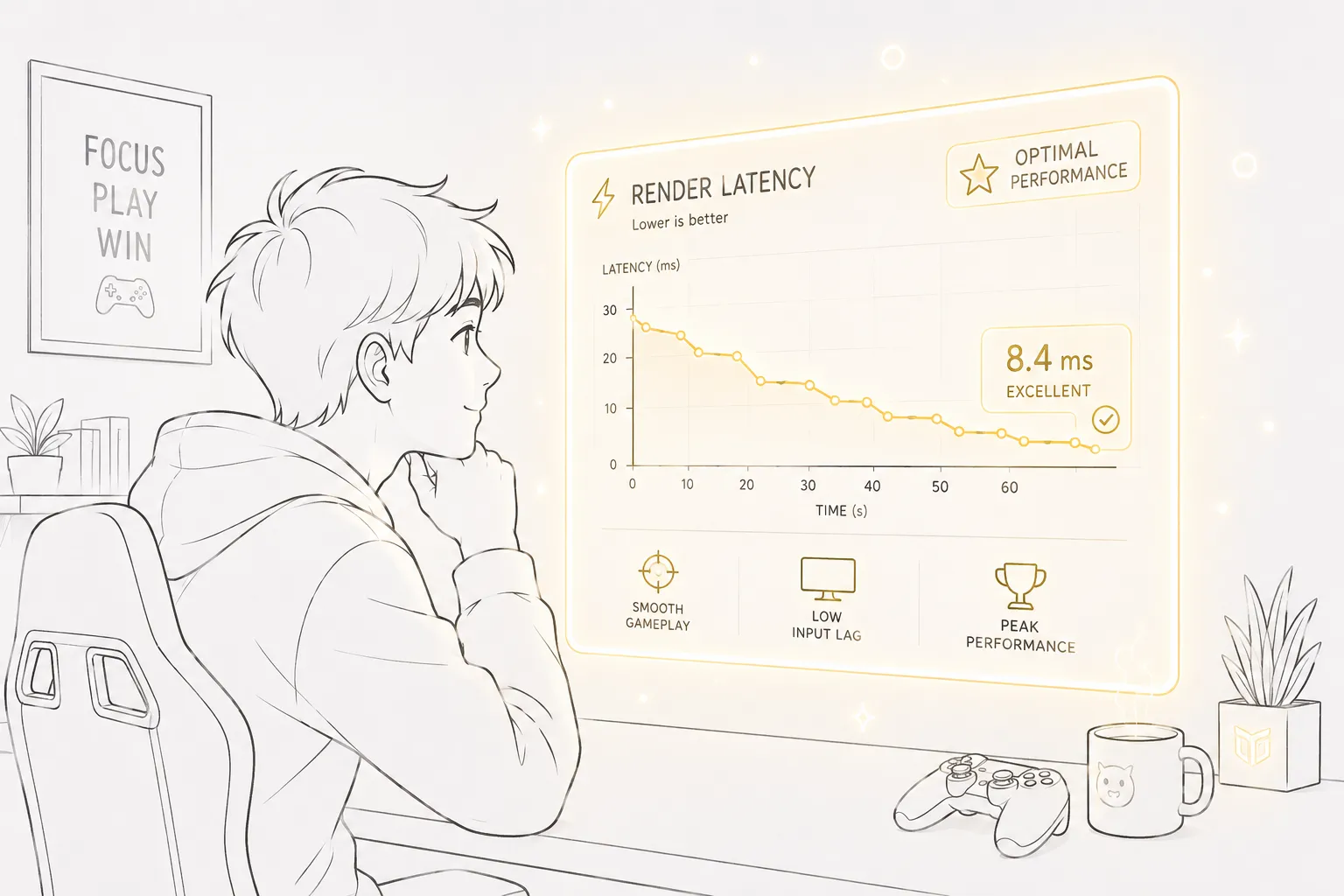
If you have ever missed a headshot by what felt like a split second, blamed your monitor for delayed reactions, or wondered why your gameplay feels “heavy” even with high FPS, there is a good chance render latency is the hidden culprit. Most gamers obsess over frame rates, graphics cards, and refresh rates, but render latency quietly shapes the entire experience behind the scenes. It determines how quickly your actions appear on screen after you press a key, click a mouse, or move a controller stick. That tiny delay can separate smooth gameplay from sluggish frustration.
Modern gaming hardware has dramatically improved latency performance over the last few years. Technologies like NVIDIA Reflex and AMD Anti-Lag are pushing response times lower than ever, with some competitive systems reaching incredibly responsive sub-10ms latency in esports environments. Still, most gamers are not entirely sure what counts as “good” render latency or what numbers they should actually aim for.
The truth is that the “perfect” render latency depends heavily on the type of game you play. A competitive Valorant player chasing every millisecond has completely different needs than someone exploring a cinematic RPG at 4K ultra settings. That is why understanding render latency is less about memorizing a magic number and more about knowing how responsiveness affects your particular gaming style.
This guide breaks everything down in plain English. You will learn what render latency really is, how it affects gameplay, the ideal ranges for different genres, how to measure it properly, and which hardware or settings can reduce it. By the end, you will know exactly what latency numbers are realistic, what improvements are worth chasing, and how to build a gaming setup that feels fast instead of frustrating.
Understanding Render Latency
What Render Latency Actually Means
Render latency is the amount of time it takes for your system to display a frame after your input is registered. Think of it like a relay race happening inside your PC. The moment you click your mouse, the CPU processes the command, sends instructions to the GPU, the GPU renders the frame, and finally your monitor displays the result. Every stage adds a tiny delay. When combined, those delays create what gamers experience as responsiveness or sluggishness.
A lot of people confuse render latency with frame rate because they seem connected, but they are not the same thing. High FPS can reduce render latency, but it does not guarantee low latency by itself. You can have 240 FPS and still experience poor responsiveness if your render queue becomes overloaded or your system is bottlenecked elsewhere. That is why some games feel surprisingly delayed even when the FPS counter looks impressive.
Industry research from NVIDIA explains that the rendering pipeline can accumulate delays from CPU scheduling, GPU workload, render queues, and display output. Modern latency reduction technologies work by synchronizing CPU and GPU workloads more efficiently, preventing the system from “getting ahead” and creating unnecessary frame buffering.
For gamers, lower render latency creates a direct feeling of control. Mouse movement becomes sharper. Aim feels more connected. Character movement responds instantly. It is the digital equivalent of driving a sports car with tight steering instead of an old truck with loose handling. The difference may only be measured in milliseconds, but your brain absolutely notices it during gameplay.
Difference Between Render Latency, Input Lag, and Ping
One of the biggest misconceptions in gaming is treating all forms of delay as the same thing. In reality, render latency is only one piece of the responsiveness puzzle. Input lag, display latency, and network ping all contribute separately to the overall experience.
Render latency specifically refers to the delay created by your PC’s rendering pipeline. Input lag includes additional delays caused by peripherals like your mouse, keyboard, or controller. Display latency comes from your monitor processing the image before showing it. Ping, meanwhile, measures the time it takes for data to travel between your system and a game server.
Imagine ordering food at a restaurant. Your input is placing the order. The kitchen preparing the food is the rendering process. The waiter delivering the meal is the display. The distance between the restaurant and your home is the network ping. If any stage slows down, the entire experience feels delayed.
According to recent latency breakdowns, render latency alone often falls between 5ms and 20ms depending on frame rate and hardware performance. Network latency, however, can easily add another 20ms to 50ms during online gaming. That is why some competitive players obsess over both low system latency and low ping simultaneously.
Understanding these distinctions matters because optimizing the wrong component wastes time and money. Upgrading your GPU will not fix a bad internet connection. Buying a 500Hz monitor will not solve server lag. Reducing render latency is incredibly important, but it only works as part of a larger ecosystem of responsiveness.
Why Render Latency Matters in Gaming
Competitive Gaming and Reaction Time
Competitive gaming is where render latency becomes brutally important. In fast-paced esports titles like Valorant, Counter-Strike 2, Apex Legends, or Fortnite, every millisecond matters because reaction windows are incredibly small. A delayed frame can literally cause missed shots, failed peeks, or slower target tracking.
NVIDIA’s research found that lowering latency improved aiming task completion times significantly, especially in precision shooters. This makes sense when you think about it. If your enemy appears on screen even 20 milliseconds sooner than on another player’s setup, your brain has more time to react. That tiny advantage compounds across every movement and engagement during a match.
Professional esports players build entire systems around minimizing latency. They often prioritize lower graphics settings, reduced visual effects, and extremely high frame rates because responsiveness matters more than visual fidelity. To them, gaming is not just entertainment; it is performance engineering.
The difference between 10ms and 40ms latency may sound tiny on paper, but during gameplay it feels dramatic. Low latency creates crisp movement and immediate response. Higher latency creates a sensation often described as “floaty” or “muddy.” Competitive gamers can usually feel the difference instantly, even if they cannot explain the exact numbers behind it.
Visual Smoothness and Game Feel
Even outside esports, render latency shapes the overall “feel” of a game. A responsive game feels immersive because your actions happen naturally and instantly. High latency breaks that illusion. It creates a disconnect between intention and execution, almost like trying to steer a boat that responds a second too late.
Single-player games benefit from lower latency too, especially action-heavy titles like Elden Ring, Cyberpunk 2077, or racing simulators. Dodging attacks, drifting through corners, and executing combos all become smoother when latency drops.
There is also a psychological side to latency. Humans are surprisingly sensitive to delays between action and visual feedback. Our brains expect immediate confirmation after every movement. When the system hesitates, even slightly, gameplay feels less satisfying.
Interestingly, modern technologies like frame generation can complicate this balance. Some AI-powered frame generation methods increase visual smoothness but may add additional latency if not paired with technologies like Reflex or Anti-Lag. Recent testing from the gaming community shows that newer implementations have improved dramatically, but latency management still matters heavily when enabling advanced graphical features.
Recommended Render Latency Ranges
Ideal Latency for Esports Titles
For competitive gaming, lower is always better, but there are practical targets that make sense for most players.
Here is a simple guideline for esports-focused gaming:
| Render Latency | Gaming Experience |
|---|---|
| Under 10ms | Elite competitive responsiveness |
| 10ms–20ms | Excellent for serious esports |
| 20ms–35ms | Good for most competitive players |
| 35ms–50ms | Noticeable delay in fast shooters |
| Above 50ms | Sluggish and disadvantageous |
Competitive gamers ideally want total system latency under 20ms whenever possible. Recent reports show that advanced Reflex-enabled systems can even reach under 10ms in optimized scenarios. That level of responsiveness feels incredibly immediate.
Of course, achieving ultra-low latency usually requires compromises. Players often lower graphics settings, disable ray tracing, reduce resolution scaling, and prioritize frame rate consistency above visual quality. It is a trade-off similar to race cars stripping unnecessary weight for speed.
Acceptable Latency for AAA Single-Player Games
Single-player games are much more forgiving. Story-driven RPGs, open-world adventures, and cinematic experiences focus more on immersion and visuals than twitch reactions.
For these games, render latency between 30ms and 60ms is generally acceptable. Most players will not notice responsiveness problems unless latency becomes unusually high. In fact, many gamers happily play visually demanding titles with latency above 50ms because the slower pacing hides the delay.
That said, lower latency still improves comfort and control. Smooth camera movement, responsive combat, and fluid traversal always feel better when delay decreases. The difference is simply less critical compared to esports environments.
A balanced approach works best here. Instead of chasing the absolute lowest latency, players should target stable performance while maintaining attractive graphics settings. Consistency matters more than aggressively minimizing every millisecond.
VR Gaming Latency Expectations
Virtual reality gaming introduces an entirely different level of sensitivity to latency. Because VR directly affects head tracking and motion perception, even small delays can create discomfort or motion sickness.
Most VR systems aim for extremely low motion-to-photon latency, often below 20ms total. Anything higher risks breaking immersion and causing nausea. That is why VR hardware demands high refresh rates, optimized rendering pipelines, and aggressive performance tuning.
In VR, latency is not just about competitiveness. It directly affects physical comfort. Your eyes and brain expect virtual movement to match your real-world head movement instantly. Any mismatch feels unnatural very quickly.
How Render Latency Is Measured
Built-In Monitoring Tools
Modern gaming ecosystems now include better latency monitoring tools than ever before. NVIDIA Reflex Analyzer, AMD software overlays, and built-in game telemetry can all provide valuable insights into system responsiveness.
Many competitive games now display latency information directly within their performance menus. Titles supporting NVIDIA Reflex often expose render latency, system latency, and frame timing metrics. This makes it much easier for players to identify performance bottlenecks without specialized hardware.
Some monitors even include built-in latency analyzers. These displays can measure click-to-display response times using compatible mice and software integrations. It sounds futuristic, but it has become increasingly common among high-end gaming monitors.
The important thing is consistency. Single latency spikes do not necessarily indicate a problem. You want stable averages with minimal fluctuations because inconsistent responsiveness often feels worse than slightly higher but steady latency.
Third-Party Software and Hardware Analyzers
Third-party monitoring tools remain extremely popular among enthusiasts. Programs like CapFrameX, RTSS, MSI Afterburner, and FrameView help players analyze frame times and latency behavior in detail.
Hardware analyzers take things even further. NVIDIA Reflex Latency Analyzer-compatible monitors physically measure end-to-end latency by detecting mouse clicks and corresponding screen updates. These tools are especially useful for competitive players who want accurate benchmarking instead of estimated software values.
Latency testing has become almost like tuning a race engine. Enthusiasts tweak settings, test frame pacing, monitor bottlenecks, and optimize hardware interactions until the system feels perfectly responsive.
The average gamer does not necessarily need this level of detail, but understanding your latency numbers can reveal hidden performance problems that FPS counters alone cannot explain.
Factors That Influence Render Latency
GPU Performance
Your graphics card plays the largest role in render latency because it handles the actual rendering workload. When the GPU becomes overloaded, frames queue up, increasing delay dramatically.
This is why GPU usage near 100% often creates sluggish gameplay. The graphics card is essentially drowning in work, causing inputs to wait longer before appearing on screen. Technologies like NVIDIA Reflex specifically target this problem by reducing render queue buildup.
Stronger GPUs naturally reduce latency by rendering frames faster. That does not mean you always need the most expensive card available, but underpowered hardware can absolutely increase responsiveness issues.
Resolution also matters heavily. Rendering at 4K requires significantly more GPU power than 1080p, increasing render times and latency. That is why competitive players often prefer lower resolutions despite having powerful hardware.
CPU Bottlenecks
The CPU acts like the conductor of the gaming orchestra. It manages game logic, physics, AI calculations, and communication with the GPU. If the processor falls behind, latency increases even if the graphics card remains powerful.
CPU bottlenecks are particularly noticeable in competitive shooters where high frame rates demand rapid game-state processing. Older processors can struggle to feed data quickly enough to modern GPUs, creating uneven frame pacing and delayed responsiveness.
Interestingly, some latency reduction technologies specifically synchronize CPU and GPU workloads to avoid these bottlenecks. This coordination helps prevent unnecessary queue buildup and improves overall responsiveness.
Monitor Refresh Rate
Your monitor directly affects how quickly rendered frames become visible. Higher refresh rates reduce display persistence and shorten the delay between frames appearing on screen.
Here is a simple comparison:
| Refresh Rate | Approximate Frame Display Time |
|---|---|
| 60Hz | 16.7ms |
| 120Hz | 8.3ms |
| 144Hz | 6.9ms |
| 240Hz | 4.2ms |
| 360Hz | 2.8ms |
Higher refresh rates alone do not reduce render latency internally, but they reduce overall system latency because frames appear sooner after rendering completes.
Graphics Settings and Resolution
Ultra settings look beautiful, but they often increase render latency dramatically. Features like ray tracing, high shadow quality, volumetric effects, and advanced post-processing place enormous pressure on GPUs.
Competitive players frequently reduce these settings to maintain high frame rates and low latency. Visual clarity can actually improve too because excessive effects sometimes make enemy visibility worse.
The smartest optimization strategy focuses on settings with the highest GPU cost and lowest visual benefit. Turning down shadows, motion blur, ambient occlusion, and depth of field often improves responsiveness significantly with minimal image quality loss.
Technologies That Reduce Latency
NVIDIA Reflex
NVIDIA Reflex has become one of the most important gaming technologies for competitive players. It works by synchronizing CPU and GPU workloads to minimize render queue buildup. Instead of allowing the CPU to flood the GPU with queued frames, Reflex ensures work is submitted “just in time.”
Recent advancements pushed this even further with Reflex 2 and Frame Warp technology, which reportedly reduced latency by up to 75% in supported games. The technology works by updating rendered frames with the latest input data moments before display output.
That sounds incredibly technical, but the practical effect is simple: gameplay feels more immediate and responsive.
Many esports titles now support Reflex directly, making it one of the easiest and most effective latency optimizations available for NVIDIA users.
AMD Anti-Lag
AMD Anti-Lag serves a similar purpose, though its implementation differs depending on the version used. Anti-Lag 2 is AMD’s closest equivalent to Reflex because it integrates directly into supported games.
Community discussions suggest that modern Anti-Lag implementations perform much better than earlier versions, especially in supported games. The main challenge is broader game adoption, as Reflex currently enjoys wider integration across competitive titles.
For AMD users, enabling Anti-Lag can still provide meaningful responsiveness improvements, particularly when GPU utilization becomes very high.
Optimizing Your Gaming Setup
Best In-Game Settings for Lower Latency
Reducing latency is usually about balancing responsiveness and visuals intelligently. Here are the settings that typically help most:
- Lower shadow quality
- Disable motion blur
- Reduce ray tracing
- Use exclusive fullscreen mode
- Enable Reflex or Anti-Lag
- Cap FPS slightly below monitor refresh rate
- Disable unnecessary background applications
NVIDIA also recommends disabling V-Sync in many competitive scenarios because it can increase input delay.
The key is avoiding GPU saturation. Once GPU usage constantly hits 99–100%, render queues grow larger and latency spikes sharply.
Hardware Upgrades That Actually Help
Not every upgrade meaningfully reduces latency. Some provide huge improvements while others barely matter.
The most impactful upgrades usually include:
| Upgrade | Latency Impact |
|---|---|
| Faster GPU | Very High |
| Higher Refresh Monitor | High |
| Faster CPU | Moderate to High |
| Better Mouse | Moderate |
| More RAM | Low to Moderate |
| SSD Upgrade | Minimal During Gameplay |
A high-refresh monitor paired with a strong GPU often produces the most noticeable improvement in responsiveness. Meanwhile, upgrading storage mainly affects loading times rather than active gameplay latency.
Troubleshooting High Render Latency
Common Causes of Sudden Latency Spikes
Latency spikes often happen unexpectedly, even on powerful systems. Common causes include:
- Background applications consuming CPU resources
- GPU overheating and throttling
- Driver issues
- Windows power-saving settings
- Unstable overclocks
- Excessive VRAM usage
- Poor frame pacing from game updates
Sometimes the culprit is surprisingly simple. Even browser tabs running videos in the background can interfere with system responsiveness during gaming sessions.
Step-by-Step Fixes for Persistent Issues
If latency remains stubbornly high, systematic troubleshooting works best.
Start by monitoring GPU and CPU utilization during gameplay. If GPU usage constantly maxes out, reduce graphics settings or resolution. If CPU usage spikes heavily, background processes or outdated hardware may be limiting performance.
Update GPU drivers regularly, but avoid blindly installing every release immediately. Some competitive players prefer stable driver versions over the newest updates.
Switch to wired internet connections whenever possible. While network ping differs from render latency, unstable connections still ruin responsiveness.
Finally, check thermal performance. Overheating components automatically reduce clock speeds, increasing latency without obvious warning signs.
Conclusion
Render latency is one of the most important yet misunderstood aspects of gaming performance. It shapes how responsive, smooth, and connected gameplay feels far more than raw FPS numbers alone. A game can look visually stunning, but if latency is high, the experience still feels sluggish and disconnected.
For competitive gamers, aiming for under 20ms total render latency provides a strong advantage, while elite esports setups often push even lower. Single-player gamers can comfortably tolerate higher numbers, especially when prioritizing graphics quality over reaction speed. The right target depends entirely on what you play and how sensitive you are to responsiveness.
Modern technologies like NVIDIA Reflex and AMD Anti-Lag have dramatically improved latency reduction, making low-latency gaming more accessible than ever before. Combined with smart graphics settings, strong hardware, and proper monitoring tools, gamers now have unprecedented control over responsiveness.
At the end of the day, the goal is not chasing perfect benchmark numbers. It is creating a gaming experience that feels sharp, immediate, and satisfying every time you touch the controls.
FAQs
1. What is considered good render latency for gaming?
Good render latency depends on the game type. Competitive shooters ideally stay under 20ms, while single-player games remain enjoyable between 30ms and 60ms.
2. Is lower render latency better than higher FPS?
Lower latency and higher FPS usually work together, but lower latency often matters more for responsiveness. A stable, low-latency setup can feel smoother than extremely high FPS with heavy input delay.
3. Does NVIDIA Reflex actually improve gaming performance?
Yes. NVIDIA Reflex significantly reduces render queue buildup and improves responsiveness in supported games. NVIDIA reports reductions averaging around 50% in many titles.
4. Can a monitor reduce render latency?
A high-refresh-rate monitor reduces overall system latency because frames appear on screen faster. It does not directly reduce rendering time inside the PC, but it improves responsiveness noticeably.
5. Why does my game feel delayed even with high FPS?
High FPS does not automatically mean low latency. GPU bottlenecks, frame queues, V-Sync, CPU limitations, or background tasks can still create delayed responsiveness despite impressive frame rates.

Colby Hale is a 35-year-old American blogger and content strategist from Asheville, North Carolina. With extensive experience writing about gaming trends, consumer technology, and online entertainment, he combines detailed research with clear, engaging writing. He contributes to gamersrealm.online by producing authoritative content designed to educate readers while following high editorial and fact-checking standards.